
Quick answer
What “4K wallpaper” means on a Mac
Standard UHD 4K is 3840 × 2160 pixels, a 16:9 image. That is a useful search term and a common monitor format, but it is not the correct shape for every Mac. A MacBook display, Studio Display, ultrawide monitor, or multi-monitor desk can use a different aspect ratio.
macOS also uses Retina scaling. The sharpest result comes from enough source detail, the right aspect ratio, and a crop that keeps the important part of the image visible—not from stretching every image to 3840 × 2160.
If you searched for “Mac wallpaper 4K,” this is the practical distinction: LiveAtlas can produce the standard 4K canvas while keeping the image connected to recent Earth and cloud conditions.
Static image or living desktop?
4K output, with a wallpaper that keeps changing
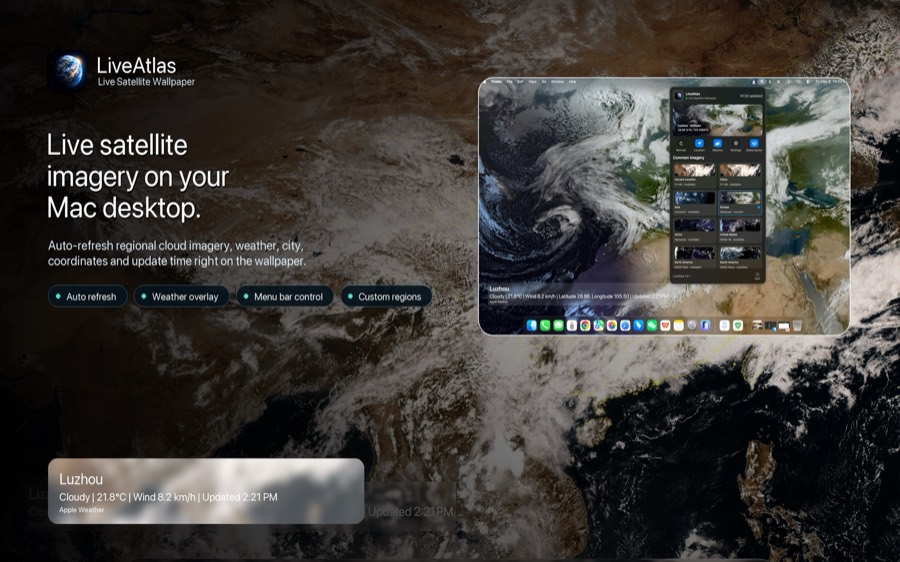
A downloaded 4K wallpaper stays the same. LiveAtlas takes a different approach: it retrieves recent public satellite imagery for supported regions, prepares it for the desktop, and refreshes the wallpaper on a schedule. Cloud bands, storms, day-and-night detail, and regional Earth views can change as new imagery becomes available.
With 4K output enabled, LiveAtlas renders the prepared desktop image at exactly 3840 × 2160 pixels before applying it on macOS.
| Option | What changes | Best for |
|---|---|---|
| Static 4K image | Nothing after download | Maximum control over one composition |
| Looping video wallpaper | A prepared animation repeats | Decorative motion |
| LiveAtlas | Satellite imagery updates over time | A changing Earth view with real cloud context |
Product fit
What LiveAtlas 4K output gives you
- Standard UHD output at exactly 3840 × 2160 pixels
- Recent satellite cloud imagery instead of a fixed wallpaper pack
- Regional Earth views for Asia, Europe, the Americas, Africa, Oceania, and the Arctic
- Automatic wallpaper refreshes and optional weather context
- Layout controls and support for multiple-monitor Mac setups
Satellite sources do not all provide the same native detail. LiveAtlas guarantees the 3840 × 2160 output canvas when 4K mode is enabled, then uses the best available satellite image for the selected region. Upscaling can standardize dimensions, but it cannot invent detail that was not present in the original satellite source.
macOS Tahoe alternative
Can LiveAtlas replace a standard macOS wallpaper?
Yes, if you want a changing Earth view instead of Apple’s included still or dynamic artwork. LiveAtlas does not modify the original macOS Tahoe wallpapers. It sets its own generated satellite image as the desktop background and can update that image as new data arrives.
Choose the included macOS wallpaper when you want a polished, predictable design. Choose LiveAtlas when you want clouds and the planet itself to provide the variation.
Frequently asked questions
What size is a 4K wallpaper?
A standard UHD 4K wallpaper is 3840 pixels wide by 2160 pixels high, with a 16:9 aspect ratio.
Does a Retina Mac always need a 3840 × 2160 wallpaper?
No. Retina scaling and the display aspect ratio both matter. A wallpaper should match the screen shape and contain enough source detail for the way macOS scales and crops it.
Can LiveAtlas output a 3840 × 2160 wallpaper?
Yes. When 4K output is enabled, LiveAtlas prepares the desktop wallpaper at 3840 × 2160 pixels before applying it on macOS.
Related LiveAtlas pages
Try a living Earth desktop
Download LiveAtlas from the Mac App Store and decide whether an updating satellite view belongs in your desk setup.