
Dynamic wallpaper for macOS Tahoe: what changes?
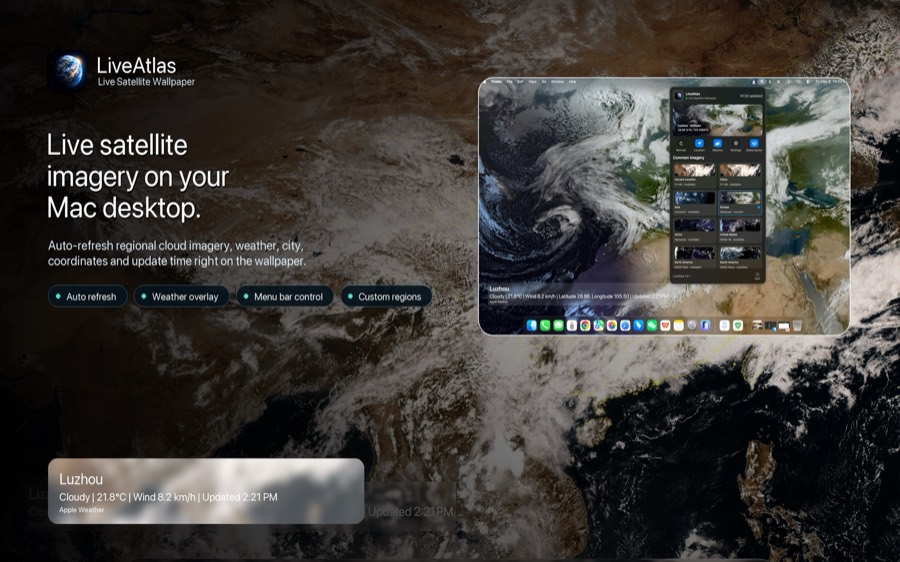
Apple's included dynamic wallpapers usually change by time of day or use prepared artwork. LiveAtlas changes for a different reason: it builds the desktop from recent satellite cloud imagery, so the visual variation comes from Earth and the atmosphere.
LiveAtlas does not modify Apple's wallpapers and is not affiliated with Apple. It sets a generated satellite image as your macOS desktop background and can replace that image when newer data is available.
How LiveAtlas works on macOS Tahoe
Choose an Earth region, select a refresh schedule, and let LiveAtlas prepare and apply the wallpaper. Optional weather context and typhoon information can add useful detail when supported data is available.
The app is designed to run as a focused Mac utility, so you can keep a changing Earth view without leaving a browser map or video wallpaper window open.
Choose 4K, ultrawide, or native display sizing
For a 16:9 screen, the 4K option produces a 3840 × 2160 wallpaper. For an ultrawide desk setup, the ultrawide option produces 3440 × 1440. These two fixed-output modes are mutually exclusive, and you can turn both off to use the normal display-matched behavior.
A fixed output size helps standardize the canvas, but the best composition still depends on the monitor aspect ratio and the source imagery available for your selected region.
A calmer live wallpaper for work
LiveAtlas is intended for people who want a dynamic desktop without a distracting animation loop. Cloud systems move gradually between updates, giving the wallpaper a sense of time while leaving your applications in focus.
That makes it a natural fit for desk-setup enthusiasts, weather watchers, developers, designers, and Mac users who prefer ambient information over another widget panel.
Related LiveAtlas pages
Try LiveAtlas
LiveAtlas is available on the Mac App Store and is designed for users who want a real satellite Earth view on their desktop.