

LiveAtlas is preparing a new way to explore the planet behind your wallpaper. Orbital Cockpit is an upcoming feature for Mac that brings a 3D Earth, satellite orbit visualization, imagery previews, and wallpaper selection into one place.
Instead of starting only with a list of image sources, you will be able to start with Earth itself: turn the globe, explore a region, inspect a satellite, and find an image you want to keep on your desktop.
This is a preview of a feature in development. Orbital Cockpit has not been released on the Mac App Store, and we have not announced a release date or version. The promotional image above illustrates the upcoming experience; the final interface may change.
A 3D Earth you can explore
The new globe gives familiar satellite imagery a sense of place. Rotate Earth to follow coastlines across Asia, look out over the Indian Ocean, or bring Australia into view. Cloud imagery adds context to the surface, making it easier to connect a regional image with its location on the planet.
The globe is also a starting point for choosing what to explore. Planned controls bring regional presets and location selection together with an imagery preview, so you can move between the global perspective and a closer view without losing your bearings.
Think of it as an observation desk: a place to look around before deciding which part of Earth belongs on your desktop.
Meet the satellites behind the view
Satellite models and orbital paths help explain where the imagery comes from. Select a spacecraft to inspect its orbital details and see how its position relates to the Earth below. The preview highlights FY-4B alongside other Earth-observation satellites.
Orbit playback will let you watch the scene evolve and use accelerated demonstration speeds to make movement easier to follow. Distances are compressed and satellite models enlarged for visibility. Positions are calculated from orbital data; the scene is an educational visualization rather than a live camera watching spacecraft in space.
That extra context is the appeal. A satellite name becomes something you can locate, select, and explore alongside the imagery it helps provide.
From a region of interest to your Mac wallpaper
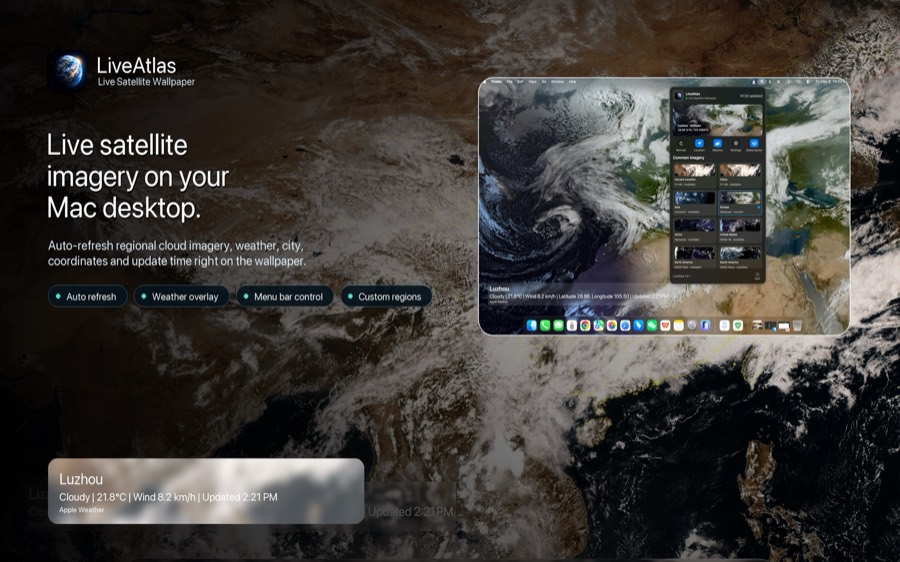
Orbital Cockpit is being designed around a simple sequence:
- Explore the globe and select a supported region or image source.
- Check the satellite image preview and its capture time.
- Refine the composition with the available crop controls.
- Apply the latest available image through LiveAtlas's wallpaper workflow.
The globe and the wallpaper preview serve different purposes. The globe helps you navigate; the preview shows the satellite image you are selecting. Applying an image uses the existing wallpaper settings, including your configured display and weather options.
For background on the current desktop experience, read our real-time Earth wallpaper guide for Mac.
Live imagery has its own clock
A moving orbit scene and a fresh satellite observation are different things. Speeding up orbital playback does not speed up weather, generate new observations, or change when an image was captured.
Satellite images arrive on their providers' schedules. Global imagery may combine observations from different times, while a regional preview has its own source and timestamp. The latest available frame can therefore differ from conditions at the exact moment you open the app.
We want that distinction to remain visible as you explore. Check image timestamps, and use the globe for geographic context rather than treating every cloud on it as a simultaneous global observation. Our satellite data sources page explains the imagery behind LiveAtlas.
What is coming, and what is available today?
Orbital Cockpit is an upcoming addition to LiveAtlas for macOS. This announcement previews the direction: interactive 3D Earth exploration, satellite orbits and details, and a more visual route from imagery to wallpaper.
The existing LiveAtlas app is available separately on the Mac App Store. Downloading it today gives you the currently released features; it does not unlock this unreleased preview. We will share availability and final details when the update is ready.
Follow the LiveAtlas blog and release notes for the launch announcement. If you would like to explore the current satellite wallpaper experience in the meantime, view LiveAtlas on the Mac App Store.
Explore Earth. Follow its satellites. Find your next desktop view.