Searching for a live wallpaper for Mac can lead to two very different experiences: a beautiful scene that moves, or a view of Earth that updates as new satellite observations arrive. Both can make a desktop feel alive, but they change for different reasons.
Choose video wallpaper if continuous motion is the attraction. Choose satellite wallpaper if you want the desktop to reflect changing cloud patterns and real geography. The best choice depends less on how dramatic a demo looks than on what you want to see during an ordinary working day.
What makes a wallpaper “live”?
The term covers several kinds of software, so look past the label before downloading.
- Video wallpaper plays recorded footage, often as a repeating clip. An ocean scene can keep moving even when your Mac is offline, provided the video is stored locally and the app supports offline playback.
- Animated wallpaper may render a scene in real time. Its movement can be interactive or procedural without representing current conditions anywhere on Earth.
- Time-based wallpaper changes prepared images according to a schedule, daylight, or another trigger. The scene can shift from morning to evening without downloading new observations.
- Satellite wallpaper retrieves imagery from Earth-observation sources and updates the background when another frame becomes available.
These are categories, not quality rankings. A recorded view can be the right choice for atmosphere; a satellite image can be the right choice for curiosity.
Apple also offers built-in wallpaper and aerial options. Its Wallpaper settings guide is a useful starting point if you want to explore what your Mac already includes before installing an app.
Continuous motion or a changing view?
A video wallpaper gives you motion every time you look at it. Waves break, clouds drift, or a camera travels through a scene. That consistency is part of its appeal: you already know the composition and colors will suit your desktop.
A satellite wallpaper usually remains still between updates. Its interest emerges over time. A cloud band changes shape, a clear area expands, or a weather system moves across an ocean. You might notice little during a short glance and a substantial difference after returning from lunch.
Neither experience needs to be busy. A subtle video can be restrained, and a detailed satellite image can be visually intense. Judge the actual composition, contrast, and movement rather than assuming that one category always feels calmer.
Freshness matters more than animation speed
For a recorded scene, the recording date may not matter. For a satellite view, the observation time is part of what makes the image useful.
An automatically refreshed wallpaper is not necessarily a continuous live feed. Satellite observations, processing, publication, downloading, and desktop updates happen on separate schedules. Refreshing an app more frequently cannot create a newer source image before the provider publishes it.
When choosing a satellite wallpaper app, look for a way to understand the image time and the selected source. A recent download timestamp alone does not prove that the underlying observation is recent.
It also helps to know what happens when connectivity disappears. A saved image may remain perfectly attractive while becoming less current. Treat the last available frame as a retained observation, not evidence that conditions have stopped changing.
What about battery life and performance?
Avoid choosing on the basis of blanket claims that one wallpaper category uses “no resources” or is always more efficient.
Continuous playback has a different workload from periodically downloading and preparing a still image. Video behavior depends on the codec, resolution, playback implementation, and whether rendering pauses when hidden. Satellite wallpaper behavior depends on image sizes, processing, update frequency, caching, and display configuration.
This article does not present a controlled performance benchmark, so it cannot promise a particular battery saving for either approach.
A useful trial is simple: use your normal windows and displays, check whether the Mac remains comfortable to work on, and see whether updates interrupt anything you care about. Compare under similar conditions rather than comparing an idle laptop with a busy workstation.
Where LiveAtlas fits
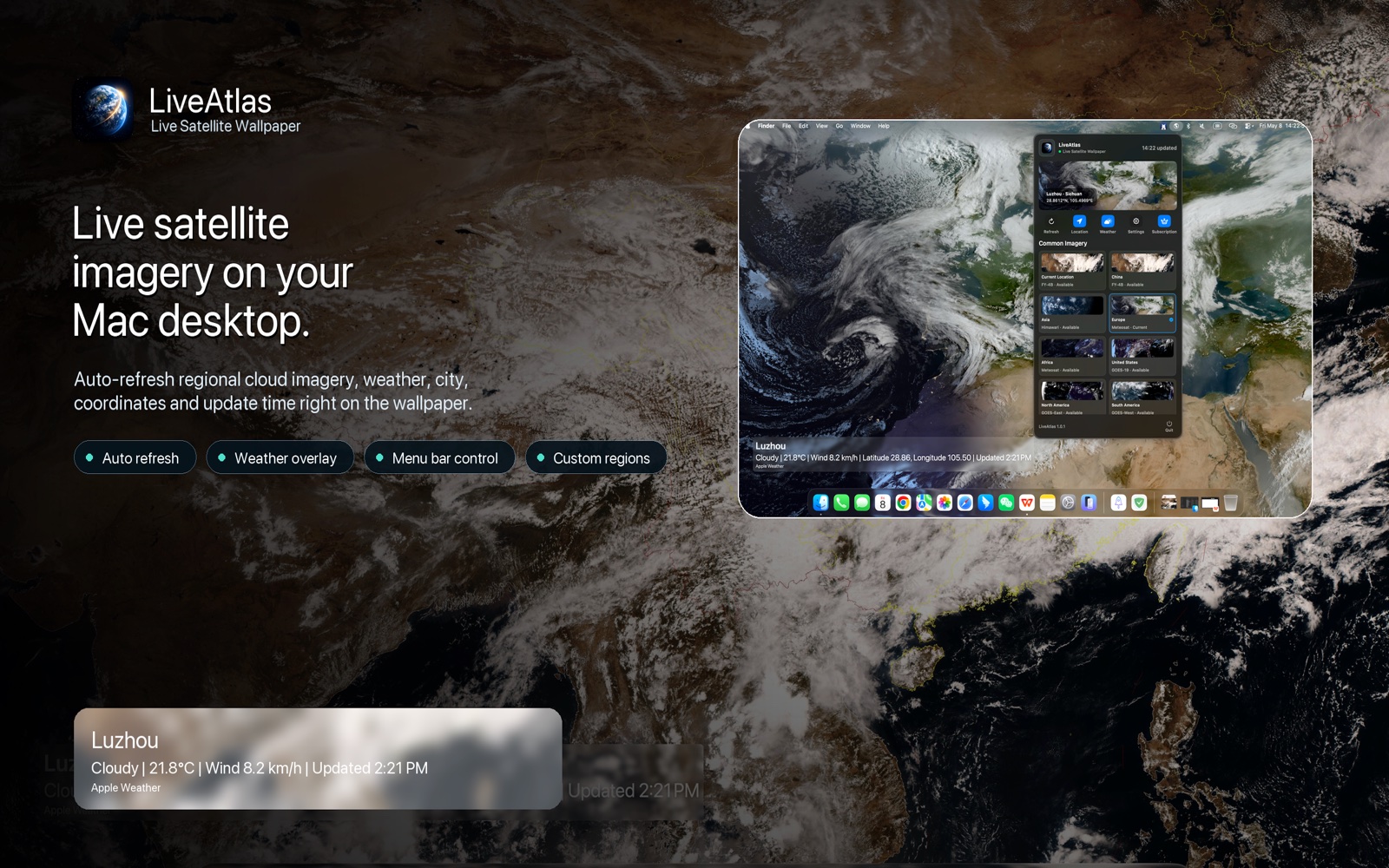
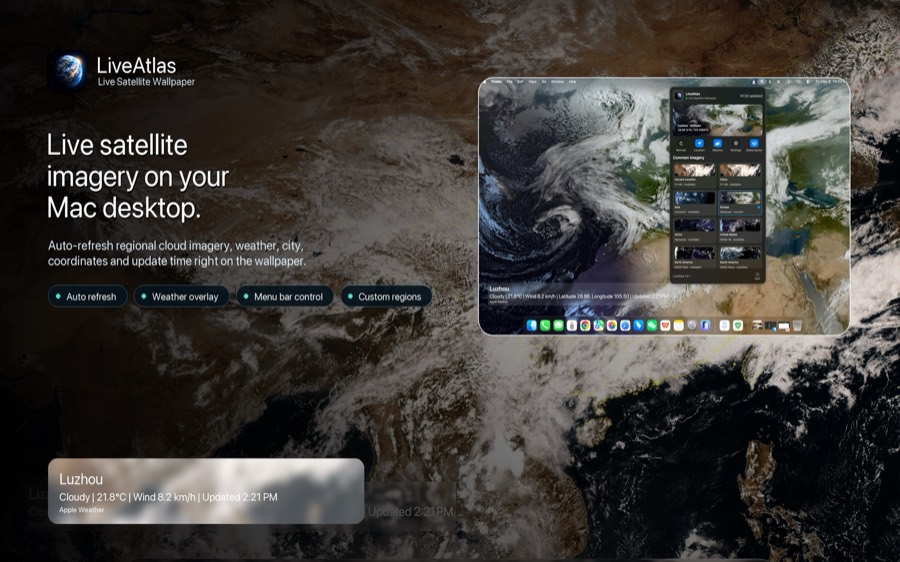
LiveAtlas belongs to the satellite wallpaper category. It brings near-real-time cloud imagery to the Mac desktop, with automatic updates, regional views, and optional weather context. The point is to keep an evolving Earth view within sight while you work.
If you already enjoy checking cloud maps, that can make the desktop a natural place for the imagery. If your main priority is a continuously moving cinematic scene, a video wallpaper is likely to match that preference more directly.
For a first setup, choose a region you recognize. Familiar coastlines make changes easier to notice. Keep any information overlays that help you interpret the view, then assess the result during a normal day rather than only in a full-screen preview.
For more detail, see our guide to real-time Earth wallpaper for Mac. LiveAtlas is the product we make; this comparison explains its intended fit rather than claiming it wins every desktop use case.
A practical checklist before you choose
- Decide whether you want continuous motion, current observations, or a predictable day-to-night scene.
- Preview the wallpaper behind your usual windows, menu bar, and desktop icons.
- Check image timestamps if current conditions are the reason for choosing it.
- Try the app with your actual displays and normal network connection.
- Review refresh settings, offline behavior, compatibility, and purchase terms.
- Keep the setup long enough to find out whether you still enjoy it after the initial novelty.
You do not need the busiest wallpaper to make a desktop interesting. Sometimes a familiar landscape is enough. Sometimes the attraction is knowing that the cloud pattern behind your windows belongs to a changing planet.
For that second kind of desktop, a satellite wallpaper is an especially satisfying fit.
Try LiveAtlas on your Mac
Explore an automatically updating Earth view with LiveAtlas. The website currently offers a 3-day free trial; check the available options and terms when you download.